Recently, I wrote a short introduction to Beancount1. As I already mentioned there, one of the biggest challenges when using such a tool is importing data from different financial institutions.
Beancount provides a standardized API2 for writing importers, so creating custom integrations is relatively easy.
In my case, I have three sources of data:
- A bank where I keep my savings account and my current account
- An online currency exchange service
- A brokerage account (with multiple subaccounts)
Fortunately, this is still a fairly small number of sources, and their export formats do not change very often. As a result, importing the data itself has never really been a problem.
The problem with the default importer
For a long time, I used the built-in interface of Fava3 to import data.
It is not the most advanced, but it was more than sufficient for my needs.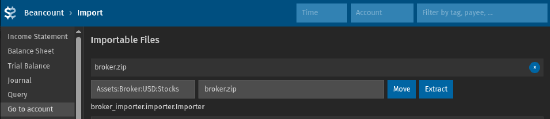
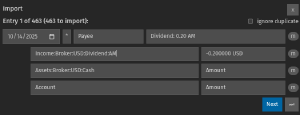
The first real issue appeared when I wanted to manually edit one of the previously imported transactions. It turned out that all entries were stored in one single file (the default bean file). While this is still manageable for small numbers of transactions, it quickly becomes a problem when the number of transactions grows.
The natural solution seemed to be to split the transactions into separate files, organized by institution and month.
institution/year/month.bean
I started looking for an existing solution before implementing it myself.
The first stop was the Fava documentation where I discovered the insert-entry4 directive.
It allows you to add a special entry to a file, instructing Fava to insert matching transactions before that entry.
At first glance, this seemed like a good idea, but in practice it only works if the destination file and its corresponding insert-entry already exist.
This means that I had to constantly create new files and maintain their structure.
This forced me to rethink my approach, and I decided to implement my own plugin.
A new plugin
I created a new plugin fava-import-manager. There are plenty of plugins available online, so building one turned out to be fairly straightforward.
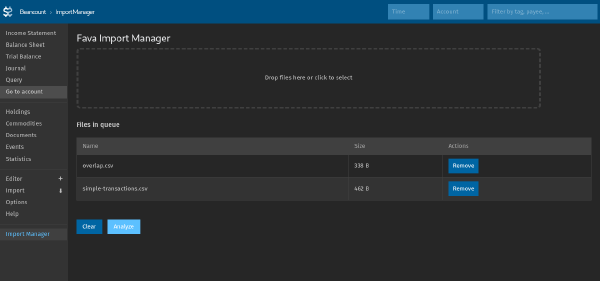
Just like the default importer, my plugin allows selecting a batch of files to be processed together.
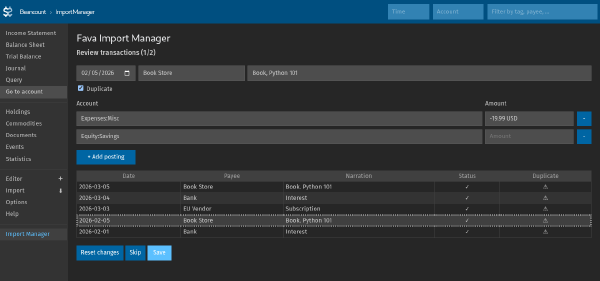
Once the analysis is complete, the plugin displays a list of identified transactions. Each transaction can be skipped or corrected before being saved to the ledger.
Finally, the plugin automatically writes transactions to the appropriate files according to the chosen directory structure.
The output directory structure is fully configurable. For example:
CONFIG = Config(
    aggregate_bean_path=Path("import-manager.bean"),
    importers=[
        ImporterConfig(
            importer=SimpleCSVImporter(),
            entry_file_template="{year}/{month}/data.bean",
        )
    ],
)
The overall workflow remains almost identical to Fava’s built-in importer. It still relies on the same importer API, but I no longer have to manually create destination files or reorganize transactions after each import.
If you’d like to try it yourself, you can find the project on GitHub: fava-import-manager